Last Updated on December 30, 2025
Whats are the differences between Receipt Parsing and Receipt OCR?
| Feature | Optical Character Recognition (OCR) | Parsing |
|---|---|---|
| Input Type | Image or scanned document | Text (string of characters) |
| Core Function | Image analysis to extract text | Syntactic analysis to structure text |
| Output Type | Plain text | Structured data (e.g., a data model, a tree) |
| Goal | Read human-readable visuals | Understand machine-readable structure |
What is Optical Character Recognition (OCR)?

What is Parsing?
What about Receipt data Extraction?
Quick Comparison betwen Parsing and Data Extraction:
| Feature | Parsing | Data Extraction |
|---|---|---|
| Focus | Technical process and syntax. | Outcome and business value. |
| Action | Analyzing structure (e.g., JSON, HTML). | Pulling specific fields (e.g., price, date). |
| Context | Programming and software development. | Data science and business automation. |
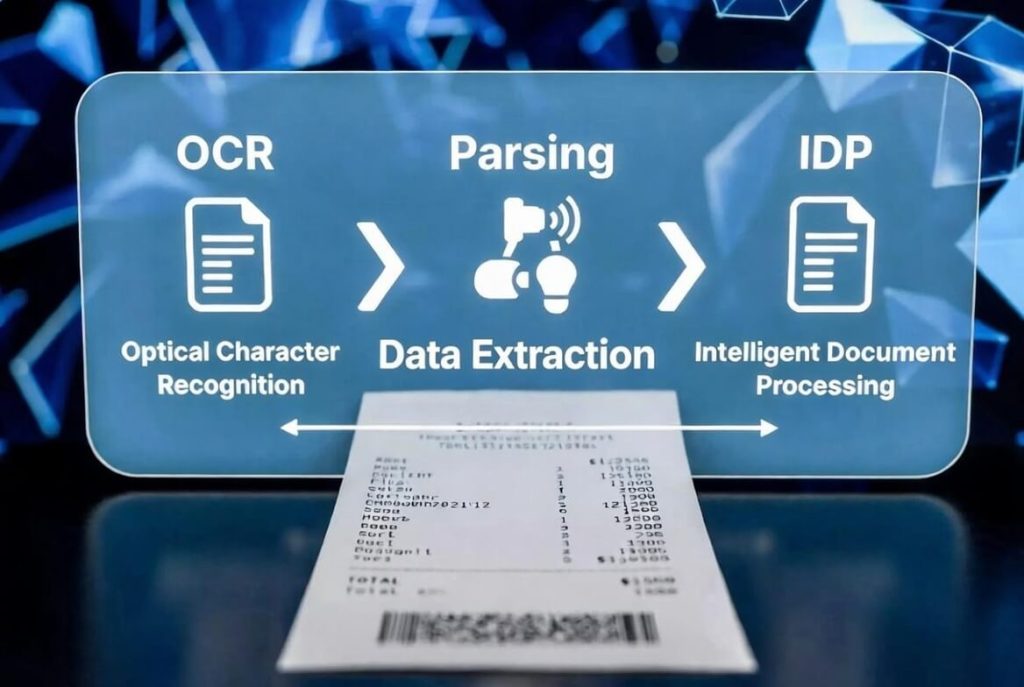
Is IDP (Intelligent Document Processing) the best way to describe Tabscanner?
IDP (Intelligent Document Processing) is the “big brother” to both data extraction/parsing and OCR. While OCR and extraction are components, IDP is the complete automated workflow.
This is how image to text receipt processing has evolved over the years.
-
OCR: “I see characters.” (Digitization)
-
Data Extraction: “I see the Total is $50.00.” (Understanding)
-
IDP: “I see this is a receipt, I’ve extracted the data, verified it against our database, and pushed it to the accounting software.” (Process)
Comparison of all 3
| Feature | OCR | Parsing (Data Extraction) | IDP |
| Primary Goal | Turn image to text | Turn text to structured data | Automate the entire document life-cycle |
| Intelligence | Basic pattern matching | Contextual (LLMs/NLP) | AI + Workflow + Integration |
| Scope | One step | One step | End-to-end |
| Handling Errors | None (Manual fix) | Basic validation | Auto-validation and “Human-in-the-loop” |
This article was written by Tabscanner and a little help from Google AI Overview and Google Gemini (mainly the tables). Plus Grok chipped in with the images.
Most people still use “OCR”, but we felt it necessary to point out the differences for clarity in 2026. Especially for the layman who may also be confused with other words like processing, capture, recognition, scanning, scanner, digitization, clearing, verification and validation.
The most accurate term for companies like Tabscanner is a receipt IDP API. Because Advanced AI technologies have taken accuracy to the next level. Plus “parsing” is more accurate than simply OCR as the data is structured to be machine readable.